Is it bad to vent to ChatGPT? What to notice after a message
CareOps editorial team · · Updated · 9 min read
Mental wellness information and service guidance published by CareOps.
About the CareOps editorial team
The CareOps editorial team publishes these guides. Sources are linked at the end of each article; examples are illustrative, not customer stories. Product descriptions refer to CareOps Maeumi. Publication and revision dates appear above.
Read our full editorial standards →If you vent to ChatGPT after an argument, notice what you want from the next reply. Can you name what hurt and decide what to do next? Or are you asking the same question until the chatbot agrees the other person was wrong? In the second case, it may be a good moment to close the chat. If you do write, leave out names and identifying details. The prompt below asks for a short reflection you can check against your own experience.
At a glance
- Emotion-labeling and anger studies did not test ChatGPT. They cannot establish whether venting to a chatbot is helpful or safe for you.
- Notice what happens during and after the chat. If you feel more distressed or keep replaying the same event, consider pausing and talking with someone you trust.
- Ask for listening before advice, check assumptions, and choose whether to stop, keep a short recap, or return to one concern later.
A prompt to start with
I need to vent about one situation. Please listen before giving advice, briefly reflect back what you heard, and ask one question. Do not assume you know what the other person intended. If I want advice, I will ask for it.
Want to adjust the tone or focus? Build a conversation prompt without signing up, then copy it into the AI app you use. A prompt can request a response style, but it cannot guarantee that the AI follows it accurately.
After venting, turn one concern into a short note
Imagine you had an idea in a team meeting, stayed quiet and kept replaying the moment after work. After the chat, take a minute to write what you observed, what you thought and what you would still need to check. You can use paper or open the free thought record.
- What happened? I had an idea in a team meeting and stayed quiet.
- What went through my mind? Everyone must have thought I was unprepared.
- What is still unknown? I do not know what anyone noticed or thought.
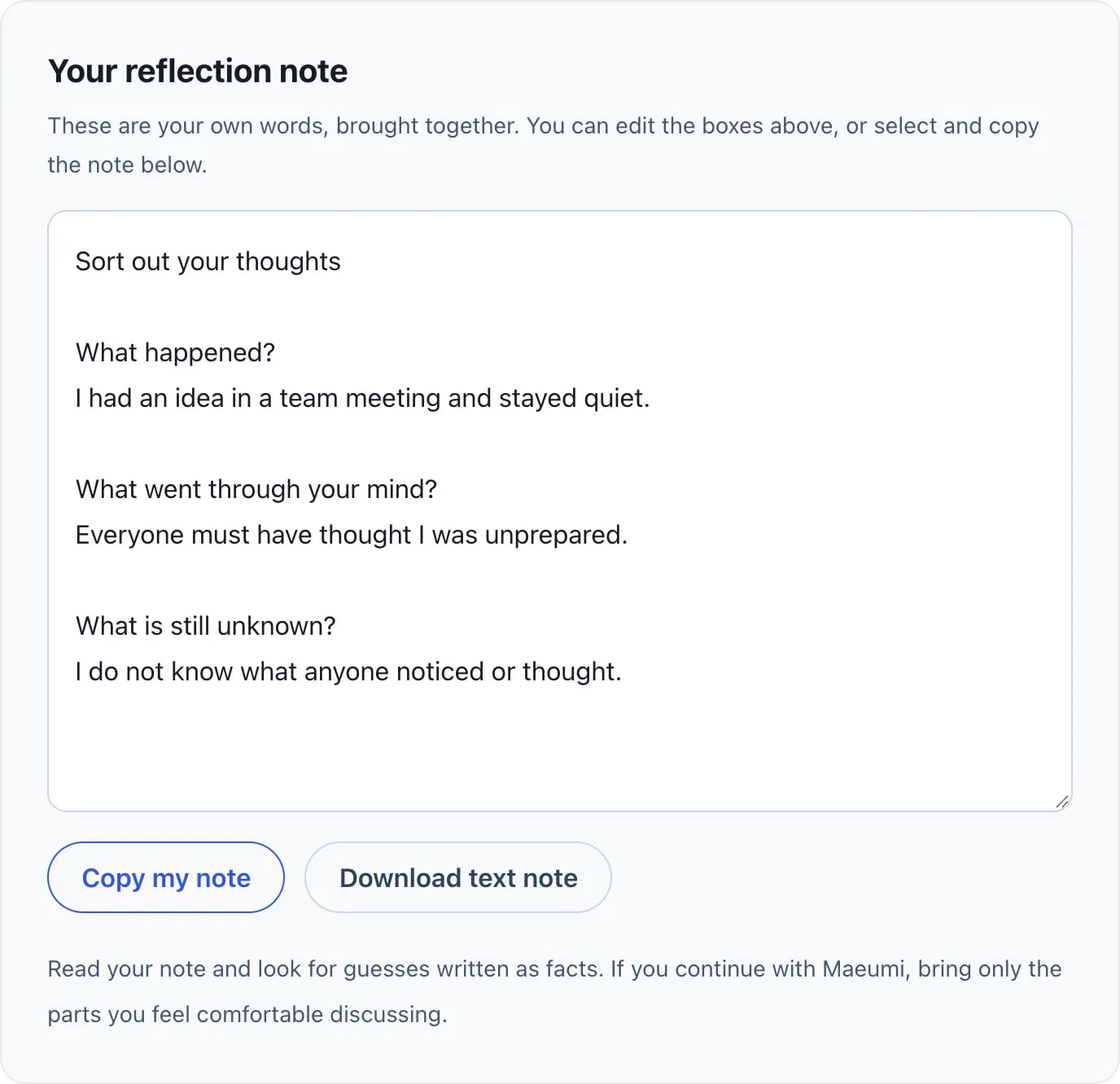
The worksheet works without an account. Your writing stays in the browser tab. You can copy it or save a text file before leaving. If you want to talk about the chat with a counselor, use the three-line note for a counseling appointment to choose what you want to share.
Why a chat window can feel easier to open
A chat window may feel easier to open when you do not know whom to contact or how to start. You can take time to write and ask for a particular kind of response. That convenience is not a confidentiality guarantee: before including personal details, review the service’s privacy and data controls. You can also use a fictional or less identifying version of a situation.
A 2007 brain-imaging study found a lower amygdala response when participants labeled negative emotional images than during other forms of encoding. It studied a specific laboratory task; personal conversations with AI were outside its scope. It does not establish that typing feelings into ChatGPT produces the same response or improves mental health. Naming a feeling is offered here as a reflection prompt, not a promised effect.
What to notice while you vent
A 2002 experiment asked provoked participants to hit a punching bag while thinking about the person who angered them or about physical fitness, and included a no-punching-bag control group. The group focused on the provoker reported more anger than the other groups and showed the most aggressive responding. This was not a study of chatbot conversations or anxiety. It does not tell us whether a particular AI conversation will help or harm someone. The questions below are practical ways to review your own experience, not a validated assessment.
| What you might notice | A reason to pause and check | An optional prompt or next step |
|---|---|---|
| You name what you feel and why it matters | You retell the same scene with more detail each time | Ask: what am I most afraid this means? |
| You notice a pattern you had not seen | Every reply agrees and makes the story bigger | Ask the AI to question one assumption gently |
| You end with one thing to do or let go of | You close the app and feel the same an hour later | Pick one small action for the next 24 hours |
| You feel steadier and can sleep | You stay up later, scrolling back through the chat | Set a stopping point before you start |
An AI response can sound supportive while making an assumption about another person’s intentions. If a reply agrees with your interpretation without evidence, ask what is known and what is uncertain. See how to separate empathy from evidence.
A prompt for listening before advice
- Choose what to share. Describe one situation, leaving out names, contact details and anything you do not want the service to receive.
- Name the feeling in one or two words. Hurt, ashamed, anxious, resentful. If you are not sure, the emotion words list helps.
- Ask for one question, not a lecture. Try: “Listen first, then ask me one question that helps me see this more clearly.”
- Check the interpretation. Ask which parts are facts you know and which parts are assumptions. Correct the AI if it adds something you did not say.
- Choose whether to continue. You can stop, keep a short recap, talk to someone you trust, or identify a small next step. You do not need to solve the concern in one chat.
If you want a ready-made opening message, the prompt builder writes one you can paste into any AI. For more ideas, see seven ways to start a conversation about a worry.
What to check when you return to a concern
When the same concern returns, check what context your tool actually uses. ChatGPT can reference relevant past information when memory is enabled; availability and controls vary by account, and memory does not retain every detail. A general assistant may also help you organize a plan or revisit an earlier step when you ask. Compare the workflow you want: a recap you can review, an agreed focus, and a record of what you tried. These are features to check in any app, including Maeumi, rather than capabilities to assume are missing elsewhere.
- Continuity: does the next conversation start where the last one ended?
- Structure: is there a way to go from feeling to understanding to a small experiment?
- Practice between conversations: is there somewhere to record what you tried and what happened?
- Privacy controls: do you know what is stored and how to delete it? See what ChatGPT memory keeps.
When a recurring worry needs more than a chat window
CareOps Maeumi is an AI counseling app built for ongoing conversations about what is on your mind. It starts with a few questions and self-checks, listens before it advises, asks one question at a time, and remembers earlier sessions so you can keep working in the same direction. Exercises such as thought records and small behavioral experiments happen inside the conversation, and names and phone numbers are masked before text is sent to the AI model. Sign-up and initial self-checks are free; check your account’s session offer and pricing before payment.
Come back to the fictional meeting above. In the chat you used, ask for a short recap and read it back. Keep the situation, the feeling and what you want to explore now. After intake, you can paste that part into your first conversation or say it aloud if voice is available on your account. See how a voice session works.
What you could say at the start of a voice session
“I had an idea in a meeting and stayed quiet. I felt embarrassed and wondered if I looked unprepared. Today I want to talk about what I was afraid would happen if I spoke.”
More prompts by situation
- Seven ChatGPT prompts for talking through a worry
- Counseling prompts for Claude
- Counseling prompts for Gemini
- Worry prompts by situation
- ChatGPT prompts for relationship advice
- Relationship prompts for friends, work and family
- AI breakup advice prompts
- Getting comfort from AI
- AI friend prompts
- Career counseling prompts
- ChatGPT prompts for self-reflection
- Journal prompts for AI
- MBTI prompts for ChatGPT
- ChatGPT prompts for depression
- ChatGPT prompts for anxiety
- ChatGPT prompts for ADHD
If you are not safe right now
If you are thinking about ending your life or someone is hurting you, contact local emergency services or a crisis line in your country now. A trusted person nearby can help you make that call.
Frequently asked questions
- Is it bad to vent to ChatGPT instead of a friend?
- An AI conversation and a conversation with a friend offer different things. An AI can generate a response and can misunderstand you. Human relationships also involve mutual care and shared experiences. If you choose to use it, consider what you want to share and keep ways to contact people you trust.
- Does venting to AI make anxiety or anger worse?
- The two studies cited here did not test AI conversations, so they cannot answer that directly. One studied labeling emotional images; the other studied anger and punching a bag while ruminating. If a chat leaves you more distressed, consider pausing. For ongoing concerns, discuss support options with a qualified professional.
- What should I type when I just need to vent?
- Try: “I need to vent for a few minutes. Please just listen, reflect back what you hear, and then ask me one question.” This states the response style you want, though the AI may not follow it accurately.
- Is there an app made for this instead of a general chatbot?
- Yes. CareOps Maeumi is an AI counseling app that remembers earlier sessions and offers exercises such as thought records inside the conversation. Sign-up and initial self-checks are free; check your account’s session offer and pricing before payment.
Sources
This guide shares mental wellness information. If you are in immediate danger, contact emergency services where you are. Support and contact information.